Quote requests
Collect project details, quantities, and supporting files. Connect a task to notify your sales team or save the inquiry for follow-up.
 Mechanic
Storefront forms for Shopify
A quote request. A wholesale application. A customer who needs a repair. Build the form in Mechanic, add it to your theme, and let your tasks handle what happens next.
Already using Mechanic? Open Forms in the app.
Start with the request
Start with an editable template or build your own form. Collect the details your team needs, then choose what your tasks do with them.
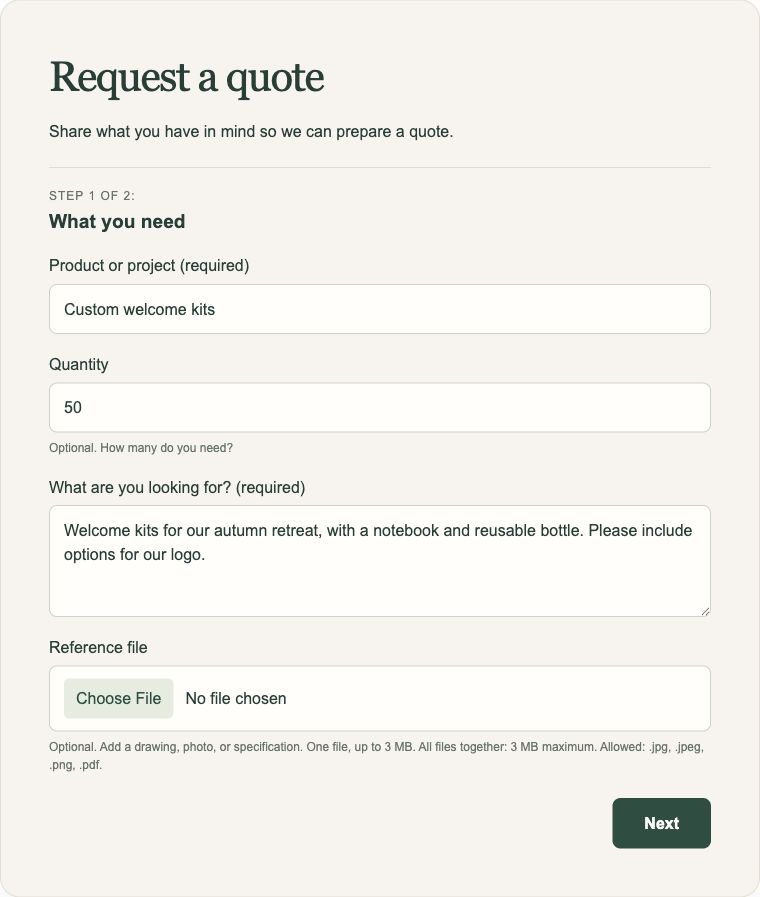
Collect project details, quantities, and supporting files. Connect a task to notify your sales team or save the inquiry for follow-up.
Learn about the business and what it needs. Send the application to your team and build your own review workflow.
Ask for the details and photos that help your team respond. Save a record, notify someone, or start a task you’ve built.
Build it visually
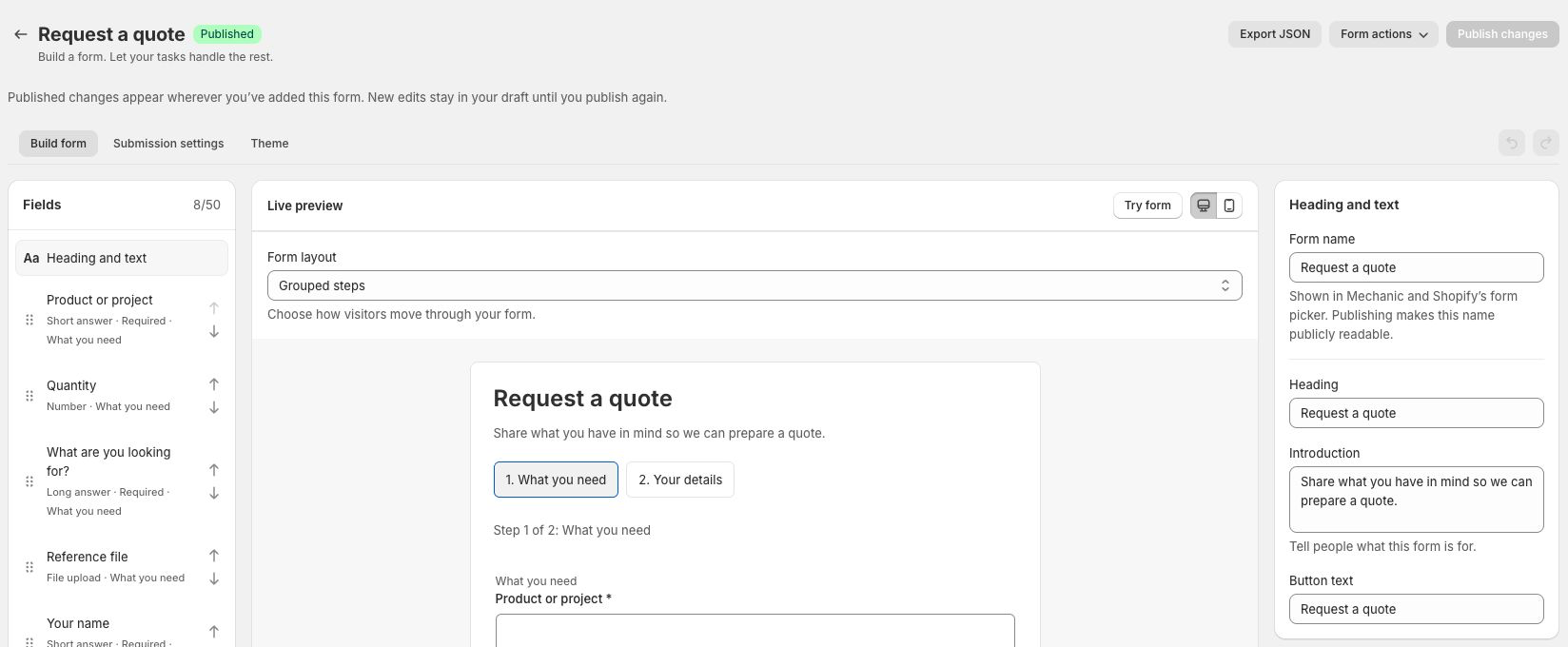
Add and reorder fields, adjust their settings, and see a live preview. Use multiple steps or show one question at a time. Conditional questions keep the form relevant to each person.
Choose when it appears
Place your form in the theme, then choose when visitors see it. Combine conditions based on the customer, the page they’re viewing, or what’s in their cart.
Start with Request a quote from your cart. Its button appears when the cart has items. Raise the quantity threshold if you only want bulk inquiries.
Show a service request on a particular product page, or an inquiry form on a selected collection page.
Show a wholesale inquiry form to signed-in customers with a wholesale tag. Choose which customers see it without adding questions they don’t need.
Placement chooses where the form can appear; visibility chooses when it appears there. A cart condition doesn’t move a form into the cart or include cart contents in the submission.
From cart to quote
Add the Request a quote from your cart template to your cart page. A button opens the form in place, so visitors can share their requirements and contact details alongside their current cart.
Connect the Create a draft order from a storefront form task. It creates a Shopify draft with the variants, quantities, line item properties, and answers for your team to review. Signed-in customers are linked to their verified Shopify account; guests provide a contact email.
Shopify supplies current variant prices. This is a quote request: the task doesn’t copy cart discounts, send an invoice, or clear the cart. The task doesn’t support subscription or bundle items. Cart drawers require theme customization.
Use case / Gift messages
Let shoppers add a gift message on your cart page. Complete answers save automatically and travel onto the Shopify order at checkout. A matching task can email the recipient when the whole order is marked fulfilled.
Saving to the cart is a second way to use Forms: keep the answers with the order, then let one or more tasks use them when the time is right.
Put submissions to work
For forms that send answers to tasks immediately, choose a webhook. Each submission becomes an ordinary Mechanic event, ready for the tasks subscribed to that topic.
Install and configure the tasks you need, or build your own. Several tasks can handle the same submission. Tasks run in the background after the form acknowledges receipt.
Send the answers to the people who need them. Optionally include uploaded files as attachments.
Add answers to a Google Sheet. Enable the task’s upload option to save files in Google Drive.
Save answers and file details to metaobjects. Uploaded files themselves need a task that emails or stores them.
Mechanic forms use your theme’s fonts and colors. Add a Mechanic form block wherever your theme supports app blocks, choose a published form, and save the theme. The example above uses additional theme CSS; it isn’t a separate styling editor in Mechanic.
Choose the destination in Submission settings. Send answers to Mechanic tasks immediately through a webhook, or save them automatically to the cart so they travel onto the order at checkout. Cart saving does not create a Mechanic event; tasks can use the saved answers when an order is created or fulfilled. Saving a form definition doesn’t create a permanent submissions inbox.
Yes. Quote requests, wholesale applications, and service requests can collect and qualify inquiries. Tasks can notify your team, save the answers, and handle follow-up. Collecting an email address doesn’t automatically subscribe someone to marketing.
Export its definition as JSON and import it into the other shop as an unpublished draft. Review its destination settings, reselect any products, variants, or collections used in visibility rules, and configure that shop’s tasks before publishing. Submission history and credentials aren’t included.
Pick a request your team handles today. Build the form. Connect a task. Try a submission.