Prices and bundles
Give the second item in a pair a discount. Or sell a two-pack and have Shopify split the bundle into the two variants you’ll ship.
 Mechanic
Say you want to sell any three shirts for $30. Pick the collection, put three shirts in a test cart, and see exactly what the buyer will pay. Take one out and try again.
Functions are included in your Mechanic subscription. Open Functions in the app to test the offer with your own products.
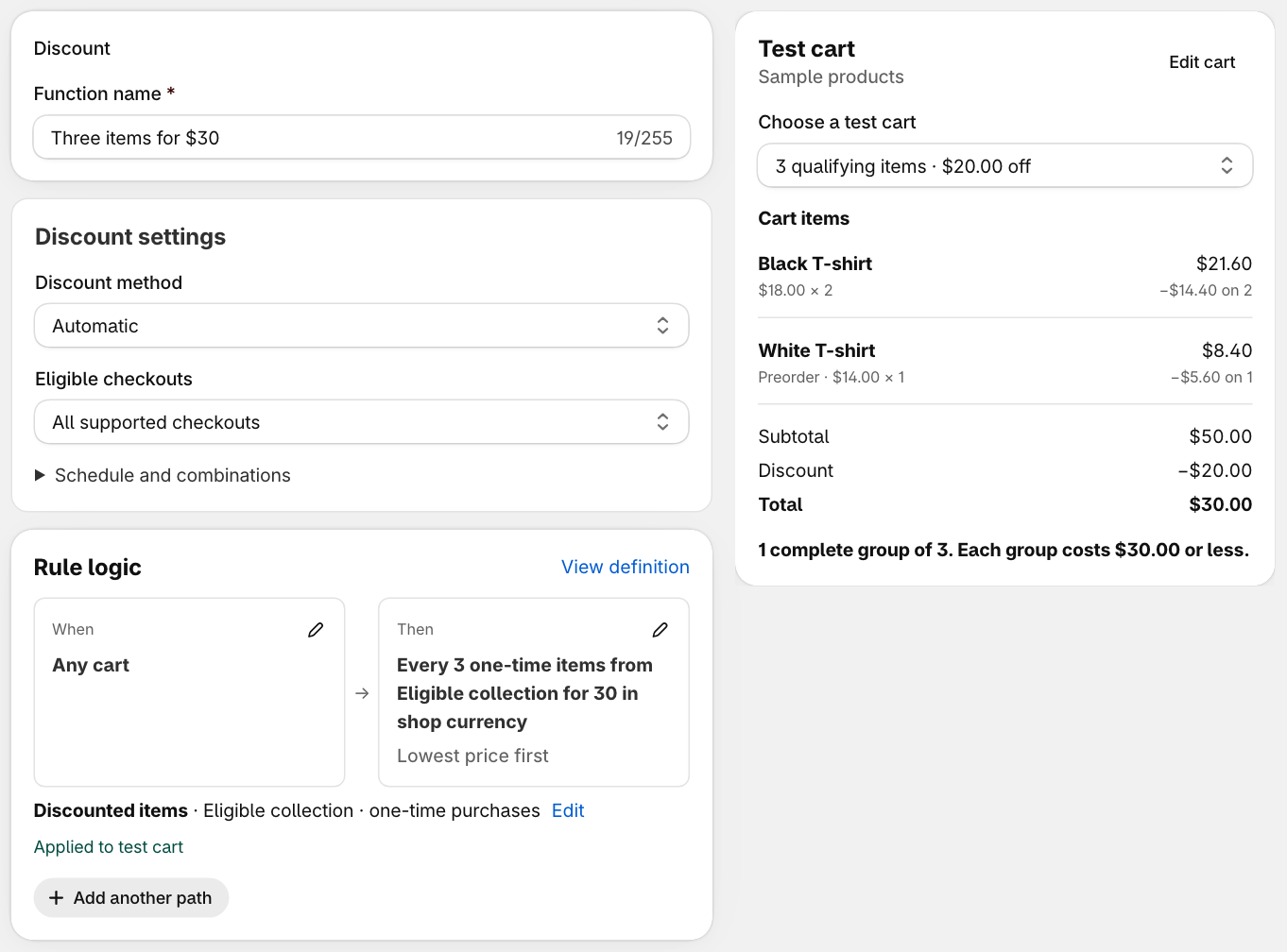
Give the second item in a pair a discount. Or sell a two-pack and have Shopify split the bundle into the two variants you’ll ship.
Ask shoppers to place separate orders for preorder and regular items. Write the message they’ll see when they need to change their cart.
Hide express shipping for items that take extra time to prepare, or rename a manual payment method so buyers recognize it.
A storefront form collects the note. A Function asks for it at checkout if the shopper chooses gift wrapping. After the order is fulfilled, a Mechanic task emails the recipient.